Slot streaming
Slot requests
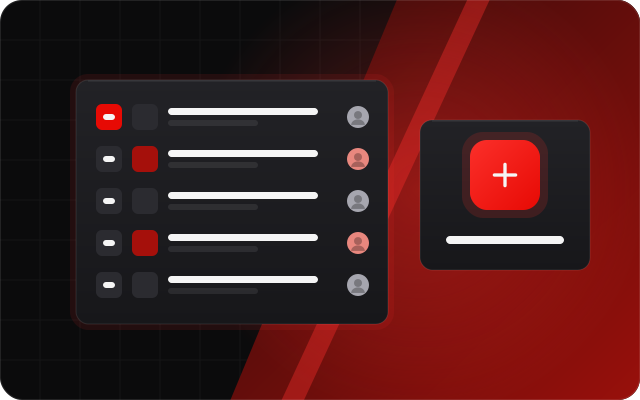
Let viewers pick what you play next. Requests come in from chat with !sr, from Discord or from a public request page, are matched to the right game, and land in one queue you and your mods work through.
Short answer:StreamNeeds slot requests take game requests from chat (!sr), Discord and a public page, match typos to the right slot, let chat vote, refuse banned games, and add an approved request to your running bonus hunt in one press.
What it does
Viewers love choosing the next slot, but a chat full of misspelt game names is hard to manage. StreamNeeds matches each request to the game catalogue even with typos and short names, suggests the closest games when it can't find one, and keeps one tidy queue.
Chat can vote requests up, your banned games list refuses games you never play, and the caller leaderboards keep score of whose picks actually pay. Approve a request and it goes straight into your current hunt.
What you get
- !sr in chat, Discord request posts and a public request page
- Fuzzy matching and suggestions for misspelt games
- Voting, so chat pushes the favourites up
- Banned games, timed bans and studio allow or block lists
- Approve to hunt in one press, even for request-only mods
- Top and worst caller boards, request widgets and the Slot Picker
How it helps every kind of streamer
Small streamer: more engagement
Requests give viewers a real say in the stream. Someone who picked the game stays to watch it, and tells chat when it hits.
I want to grow
The public request page and Discord posts let people take part without being in chat, and the caller leaderboard turns regulars into a little competition that brings them back.
I want to make more money
Award points for requests that pay well, or tie requests to your store and quests, so time in your community becomes something viewers want to earn.
Big streamer: run it at scale
A busy chat can't flood you: duplicates are merged, banned games are refused, timeouts stop spammers, and mods who only handle requests can approve them without access to anything else.
How to set it up
Switch on slot requests and set your banned games and studio rules.
Tell chat to type !sr and a game name, or share your request page link.
Approve requests into your hunt and add the request widgets to your overlay.
Frequently asked questions
What if a viewer spells the game wrong?
- Fuzzy matching finds the right game from typos and short names, and if nothing matches it suggests the closest games.
Can I ban games from being requested?
- Yes. Add games to your banned list, ban a game for a set time, or block whole studios. Your banned list also has a public page.
Can viewers request without typing in chat?
- Yes, through your public request page or the request posts in your Discord server.
Do requests go into my bonus hunt?
- One press adds an approved request to your active hunt. Mods with only the requests permission can do it too.
The full guide
Related features
- Bonus hunt trackerTrack every bonus live with break-even, averages and 100x wins on stream.
- Viewer pointsA loyalty points economy that works across every platform.
- Discord botPoints, giveaways, go-live posts, verification and moderation in your server.
- Stream wheelsPrize wheels viewers spin with gifted subs, Kicks or points.