Chat bots and live control
Stream Pad, a virtual Stream Deck
Run your stream with buttons. Stream Pad gives you keys that play alerts, switch scenes, start giveaways, play sounds and post in chat, on your dashboard, your phone or a real Stream Deck.
Short answer:Stream Pad is the StreamNeeds virtual Stream Deck. Keys trigger actions like alerts, scene switches, giveaways, sounds, sponsor mentions and chat posts. Keys sit on pads and in folders and work from the dashboard, a floating pad, a phone, the mod page and a real Elgato Stream Deck through the StreamNeeds plugin.
What it does
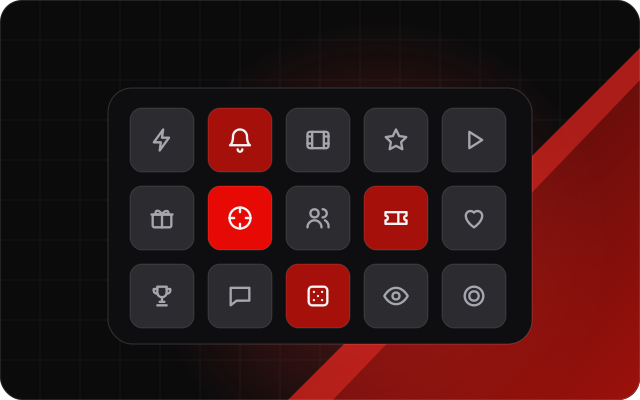
A hardware Stream Deck is great, but not everyone has one, and your mods can't press yours. Stream Pad gives you the same thing in software. Build pads of keys, put keys in folders, and style them with colours, pictures and looks like Stream Deck, Neon or Glass.
Each key can play an alert, switch a scene, start a giveaway, play a sound, count an in-game moment, mark a sponsor mention or run several actions in order. Every key also has a webhook link, so other tools can press it too.
What you get
- Pads and folders like a Stream Deck profile
- Keys for alerts, scenes, giveaways, chat posts and counters
- A sound board through your alerts source
- Multi Action keys that run several steps with waits
- Works on the dashboard, a floating pad, your phone and the mod page
- An Elgato Stream Deck plugin and a webhook link for every key
How it helps every kind of streamer
Small streamer: more engagement
No Stream Deck? Your phone becomes one. Sound effects and quick alerts make reactions bigger and stream moments funnier.
I want to grow
Running bits and running jokes are what make a channel memorable, and a sound board and instant alerts make them easy to repeat every stream.
I want to make more money
Sponsor keys log every mention for your reports, and keys that start a wheel or a giveaway turn support into an instant moment on screen.
Big streamer: run it at scale
Mods press keys from their own pad, so they can run scenes and sounds while you play. One key can run a whole sequence, like switching scenes, playing a sound and posting in chat.
How to set it up
Open Stream Pad and add keys for the actions you use most.
Group them into pads and folders and pick a look.
Open the pad on your phone or install the Stream Deck plugin.
Go deeper
Frequently asked questions
Do I need an Elgato Stream Deck?
- No. Stream Pad works in your browser and on your phone. If you have a Stream Deck, the plugin puts the same keys on it.
Can my mods use my pad?
- Yes, from the mod page or their own dashboard, with the permissions you give them.
Can a key do more than one thing?
- Yes. Multi Action keys run several actions in order, with waits between them.
Can other tools press a key?
- Yes. Every key has a webhook link that any tool able to call a link can use.
The full guide
Related features
- Stream alerts (Alerts Studio)Design follow, sub, tip and raid alerts with rules, sounds and animations.
- StreamNeeds for OBSA native OBS plugin: clips at every win, docks, health checks and backups.
- Sponsor campaigns and reportsTrack brand deals and send sponsors reports with real numbers.
- Gaming stream toolsIn-game counters, a wanted level meter and clutch mode for gaming streams.