Chat bots and live control
Command Centre live dashboard
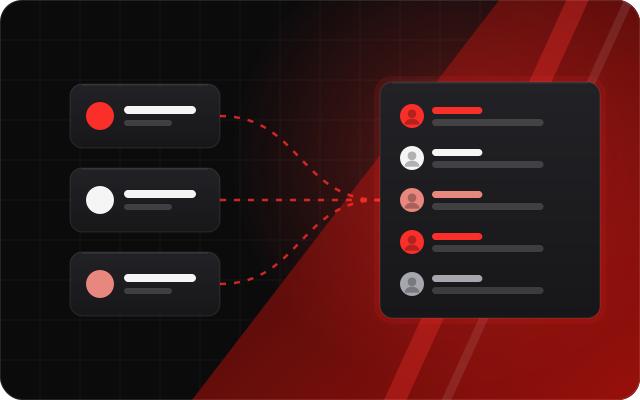
See your whole stream on one screen. The Command Centre puts chat from every platform, your viewers, support, giveaways, hunts and tickets in one live dashboard you arrange yourself.
Short answer:The StreamNeeds Command Centre is a live dashboard that combines Kick, Twitch, YouTube and Discord: chat, viewer counts, followers, gifted subs, revenue, giveaways, hunts, tickets and an activity feed, shown combined or per platform in panels you can arrange.
What it does
Multistreaming usually means three chat windows and two dashboards. The Command Centre brings them into one place. Chat from every platform sits in one list, next to who is here, your viewer counts, live support and the tools you use while live.
You can build several named dashboards, drag and resize panels, and reset chat and peak viewers in one press. Hover a link in chat to see where it goes: dangerous sites are flagged red before anyone clicks.
What you get
- Combined chat from every platform with a Who's here panel
- Live viewers, followers, gifted subs and support
- Giveaways, hunts and tickets in panels
- Several named dashboards you arrange
- Link previews and dangerous-site warnings in chat
- Edit your title and category on every platform at once
How it helps every kind of streamer
Small streamer: more engagement
Seeing every chatter in one place means you never miss a message, and answering everyone is how small streams become friendly ones.
I want to grow
Multistreaming is one of the fastest ways to grow, and one dashboard makes it manageable. Change your title and category on every platform from one box.
I want to make more money
Live support numbers and campaign panels show what is working during the stream, not the next day.
Big streamer: run it at scale
A big chat needs a control room. Mods get the same dashboard, link warnings protect your viewers, and every panel can be arranged for the job at hand.
How to set it up
Connect your platforms.
Open the dashboard and pick a template.
Drag, drop and resize panels until it fits how you stream.
Frequently asked questions
Can I see chat from all platforms together?
- Yes. Chat from every platform shows in one list, or you can filter by platform.
Does it warn about scam links?
- Yes. Links on Google's dangerous-sites list are flagged red and ask before opening, and short links get a caution.
Can my mods use it?
- Yes. Mods open the dashboard from their own login with the permissions you give them.
Can I change my stream title from here?
- Yes, on Kick, Twitch and YouTube at once from one box.
The full guide
Related features
- Chat bots for Kick, Twitch and moreOne bot on every platform: commands, timers, points and replies in your words.
- Stream Pad (virtual Stream Deck)Buttons for alerts, scenes, giveaways and sounds, on any device or a real Stream Deck.
- Mods and the Mod BoxUnlimited mods with their own logins and exactly the permissions you pick.
- AnalyticsYour viewers, support, uptime, games and points in clear numbers.