Chat bots and live control
Mods and the Mod Box
Let your team help without sharing your password. Mods get their own logins, act in your account with exactly the permissions you tick, and get a private page to run your stream from.
Short answer:StreamNeeds mods sign in with their own logins and act for the streamer with the permissions the streamer ticks, such as hunts, overlays, store or slot requests. There is no limit on mods. The Mod Box is a private page with the live stream, chat, team chat, Stream Pad and quick moderation actions.
What it does
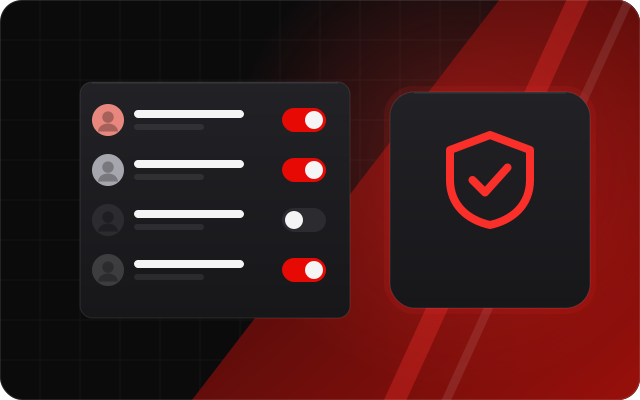
Sharing your password with mods is risky, and giving everyone full access is worse. In StreamNeeds each mod has their own login. When they sign in they choose which streamer they are working for, and they can only do what that streamer has ticked for them.
The Mod Box is a private page for your team: your stream, chat, a team-only chat, your Stream Pad and a Clip it button. Tap a chatter to see their card with account age, points, strikes, past bans and notes, then warn, time out, ban or award points, with undo.
What you get
- Unlimited mods, each with their own login
- Per-permission access, ticked per mod
- Mods work in your account, not their own
- A private Mod Box with stream, chat, team chat and Stream Pad
- Chatter cards with account age, strikes, bans and notes
- Warn, time out, ban, strike or award points, with undo
How it helps every kind of streamer
Small streamer: more engagement
Your first mod is often your first loyal viewer. Giving them a real role with their own login keeps them involved and makes your community feel like a team.
I want to grow
As chat grows, mods keep it friendly for newcomers. Clear tools mean they can act fast without asking you mid-game.
I want to make more money
Mods can run the store, payouts and requests for you, so selling and paying out keeps going while you stream.
Big streamer: run it at scale
Big channels need a team with clear jobs. Give your hunt helper hunts only, your community manager the store, and your head mod everything.
How to set it up
Open mod settings and add a mod with an email and password.
Tick the permissions that mod should have.
Send them the login. They pick your channel when they sign in.
Frequently asked questions
How many mods can I add?
- As many as you like. There is no limit on mods.
Can a mod see my billing?
- No. Mods only see the areas you tick for them.
Can one person mod for several streamers?
- Yes. A mod picks which streamer they are working for when they sign in.
What is the Mod Box?
- A private page for your team with the stream, chat, team chat, Stream Pad, a Clip it button and quick actions on chatters.
The full guide
Related features
- Command Centre live dashboardEvery platform's chat, viewers, support and tools in one live dashboard.
- Community protection and Alt GuardStop alt accounts and banned people gaming your giveaways.
- Discord ticketsPrivate support tickets in Discord, with forms, macros and transcripts.
- Stream Pad (virtual Stream Deck)Buttons for alerts, scenes, giveaways and sounds, on any device or a real Stream Deck.