Overlays, alerts and OBS
OBS overlay editor
Design your whole stream in the browser. Drag widgets onto scenes, style them with live sliders, and paste one link into OBS. Every change and every live event reaches your stream instantly.
Short answer:The StreamNeeds overlay editor is a drag-and-drop tool for building OBS overlays. An overlay holds several scenes made of widgets (chat, goals, events, timers, hunts and more), and one browser source link shows it in OBS, updating live with no refresh.
What it does
Most streamers juggle a separate site for alerts, another for chat and a folder of PNGs. The overlay editor puts it all in one place. Start from a layout template or a blank scene, drag in widgets, and size and style each one with live sliders for colour, opacity, glow, fonts and spacing.
An overlay can hold several scenes, such as Starting soon, Live, Be right back and Ending, and you can switch between them live. One click adds those stream scenes already filled in with your name, logo and socials. Widgets read your real stream: chat from every platform, follows, subs, tips, goals and viewer counts.
What you get
- Drag-and-drop editor with live sliders and a reset on every setting
- Several scenes per overlay, switchable live, plus scene templates
- Chat, activity feed, goals, hype train, emote wall, top chatters and viewer count widgets
- Timers, social bar, images, slideshows and video
- One OBS browser source link per overlay, updating with no refresh
- Test events to preview follows, subs and tips without waiting for real ones
How it helps every kind of streamer
Small streamer: more engagement
A finished, consistent look makes a small channel feel established. On-screen chat and an activity feed also show newcomers that people are talking, which makes them more likely to talk too.
I want to grow
Goal bars and a hype train turn support into something the whole chat works toward together, and a proper Starting soon scene with a countdown keeps early viewers from leaving before you go live.
I want to make more money
Goals, a subathon timer and a hype train give viewers a visible reason to sub, gift and tip right now. Support you can see on screen gets more support.
Big streamer: run it at scale
Big streams need overlays that never stutter. Long lists scroll smoothly only when they don't fit, scenes can be switched from a Stream Deck, and mods can edit the overlay without access to anything else.
How to set it up
Open the editor and start from a template or a blank scene.
Drag in widgets and style them with the live sliders.
Copy the overlay link and add it to OBS as a browser source.
Go deeper
Frequently asked questions
Do I need to download anything?
- No. Overlays are web pages. Paste the link into OBS, Streamlabs Desktop or any software with a browser source.
Does it work on Kick, Twitch and YouTube?
- Yes. Chat and event widgets read every platform you connect, combined in one widget or per platform.
Do I have to refresh OBS after a change?
- No. Changes and live data reach OBS instantly.
Can I have different looks for different parts of my stream?
- Yes. Build several scenes in one overlay and switch between them live, from the dashboard, a Stream Deck or chat.
The full guide
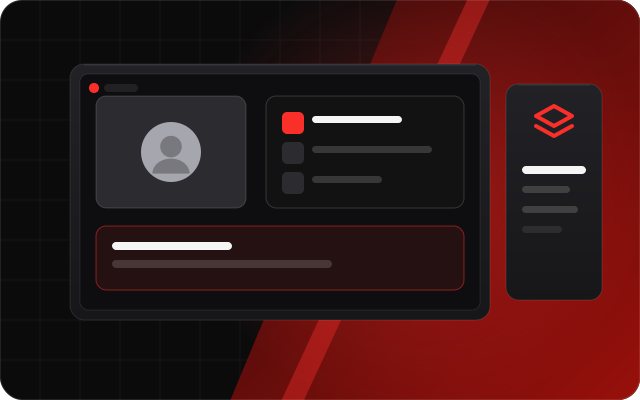 OBS overlays you build by dragging, not by editing CSSA visual overlay editor with 48 live widgets for any stream: chat, alerts, goals, timers and leaderboards, plus hunt tables and running totals for slot streams. Multi-scene, with OBS scene control.
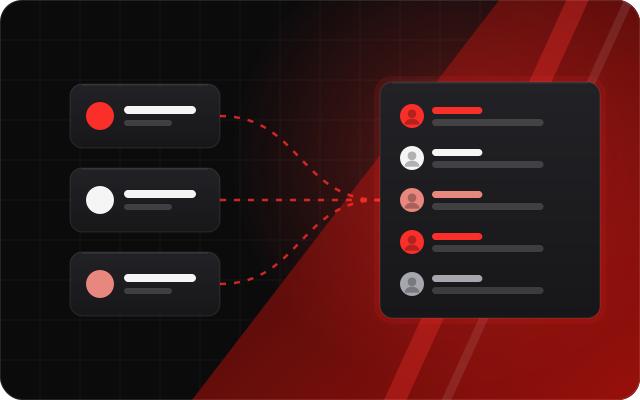 Every chat in one overlayOne OBS chat overlay that shows Kick, Twitch, YouTube and Discord chat together, with platform badges, emotes, hidden commands and a blocked-words list.
Free tools that go with it
- Social bar makerYour handles and platform icons as a see-through bar to lay over videos, clips and your stream. Download a transparent PNG.
- Stream countdown timerA free "starting soon" countdown for OBS: set minutes or a start time, pick a colour, copy one link.
- Kick banner and offline screen makerDesign a Kick banner, offline screen or starting soon screen with your name and socials, then download every size at once.
Related features
- Stream alerts (Alerts Studio)Design follow, sub, tip and raid alerts with rules, sounds and animations.
- Stream Packs and Brand KitA whole stream look in one click, in your own colours and fonts.
- StreamNeeds for OBSA native OBS plugin: clips at every win, docks, health checks and backups.
- Stream Pad (virtual Stream Deck)Buttons for alerts, scenes, giveaways and sounds, on any device or a real Stream Deck.