Comparison
The best Stream Deck alternatives
Our top pick is StreamNeeds Stream Pad: buttons that switch your overlay scenes, award points to viewers and mark clips, pressed from your phone, your browser, the Stream Dashboard or a real Stream Deck. Nothing to install on your PC for the pad itself. Below it, the other Stream Deck alternatives streamers use, with what each one lists and what it costs.
Last checked November 2026.
1.StreamNeeds Stream Pad
Top pickstreamneeds.comBest for: Streamers who want buttons that run their overlays, points and clips
Price: Free account; paid plans from $25/month
Build pads of keys with folders, colours, emojis or pictures, and press them on your phone, in the browser, on the floating pad in the dashboard or on a Stream Deck. A key can switch overlay scenes, award points to the viewers watching, mark a clip or run a trigger. Every key has its own link, and there is a StreamNeeds Stream Deck plugin. Mods can press keys from their own login.
- Pads, keys and folders, laid out like Stream Deck profiles
- Keys that switch overlay scenes, award points and mark clips
- Press from your phone, your browser or the Stream Dashboard
- Every key has its own link, so a real Stream Deck can press it too
- Mods with Stream Pad permission press keys from their own login
- Stream Bingo squares appear as keys while a game is on
2.Elgato Stream Deck Mobile
elgato.comBest for: Streamers who want Elgato's own Stream Deck software on a phone
Price: 6 keys free; Pro (price not listed on its page)
Elgato's app turns an iPhone, iPad or Android device into a Stream Deck. Elgato says it gives six keys for free, with no trial, and Pro unlocks up to 64 keys, custom backgrounds, layouts such as 5x3 or 8x8, and Siri shortcuts.
3.Touch Portal
touch-portal.comBest for: Macro buttons for your whole PC, not only your stream
Price: Free; Pro $13.99 (App Store in-app purchase)
A remote-control macro app for phones and tablets with macro buttons, smart touch buttons and integrations for OBS Studio, Twitch, Adobe Photoshop and Philips Hue. Its listing says Pro allows up to 110 buttons per page, and that you need its desktop app on your PC or Mac.
4.Macro Deck
macro-deck.appBest for: A free, open-source macro pad you host yourself
Price: Free and open source; native phone apps paid after a 7-day trial
Runs on Windows, macOS or Linux; your phone or a browser on the same network shows the deck and sends presses to your computer. It lists 33 built-in integrations, including OBS Studio and Twitch. The web client is free; the native Android and iOS companion apps are paid after a 7-day trial.
Features and prices are as each tool describes them on its own site. Products change constantly — check each one before deciding, and tell us if anything here is out of date.
Everything StreamNeeds does
48 features live today, and 35 more launching soon. Overlays, alerts, bots, points, giveaways and clips in one place, for Kick, Twitch, YouTube and Discord.
Bonus hunts
- Bonus hunt tracker over a 16,000+ slot database
- Live and starting break-even, average and 100x count
- Simple mode, presets and hunt duplication
- Live viewer page and share links
- Add to Hunt button inside 12 casinos (Chrome extension)
- Per-game hunt statistics
- Guess the balance with lock rules and the Price-Is-Right rule
- Guess the balance prize placesLaunching soon
- Firefox extensionComing in V2
OBS overlays and widgets
- Drag-and-drop overlay editor with 48 widgets
- Unlimited scenes, switchable from chat
- OBS scene control over the WebSocket
- Layout templates and scene duplication
- Hunt table, dashboard, reel, big win and progress widgets
- Chat, activity feed, goals, polls, hype train and timer widgets
- Widget library and Stream PacksLaunching soon
- Brand Kit and Media libraryLaunching soon
- Signature widget looksLaunching soon
- Clutch mode: hide every overlay with one switchLaunching soon
Alerts
- Follow, sub, gift, tip and raid alerts
- Alert rules: amounts, sub tier, a specific viewer, first time
- Alert history and test events
- Alerts Studio: animated alert designerLaunching soon
- Casino alerts tied to events: big wins, max wins, hunt results, winners, store purchasesLaunching soon
- Timed alerts that play every few minutes while liveLaunching soon
- Chat command alerts (!hype plays an alert)Launching soon
- Alert library packsLaunching soon
- Text-to-speech alertsComing in V2
Chat bots
- Kick bot: commands, timed messages, points, giveaways, slot requests
- Twitch and YouTube chat bot: commands and timed messages
- TikTok Live and Facebook Live chat in your overlay and historyLaunching soon
- Editable bot replies in 10 languages
- Discord bot: slash commands, points and a daily bonus
- Discord hunt, giveaway, big win and go-live announcements
- Discord moderation and cross-server bans
- Discord verification gates (account age, server time, casino details)
- Self-service Discord rolesLaunching soon
- Discord ticketing: forms, routing, macros, notes, transcripts, workflows
- Ticket web portal
- Ticket response targets (SLA)Launching soon
- Discord game nightsLaunching soon
Points, store and giveaways
- One points balance across Kick and Discord
- Points for chat, watch time, subs, follows and tips
- Points store with fulfilment and refunds
- Slot requests with voting, points cost and promote to hunt
- Chat giveaways with multiple winners
- Numbered raffles with a ticket grid on your overlay
- Points leaderboardsLaunching soon
- PredictionsLaunching soon
- Stream Bingo and the Challenge boardLaunching soon
- Stream WheelsLaunching soon
- Social giveaways on X with a provably fair drawLaunching soon
- Public provably fair proof for every drawLaunching soon
- TournamentsComing in V2
Viewers and community
- Viewer profiles linking Kick, Discord and Twitch accounts
- Viewer history: points, purchases, requests and wins
- Verified casino usernames, crypto wallets and affiliate codes
- Account flagging across your community
- Bans that follow the casino account, not just the chat name
- Quests and community goalsLaunching soon
- Viewer portal where viewers see their own statsLaunching soon
- Alt Guard multi-account detectorLaunching soon
- Lobby codesLaunching soon
Mods and control
- Mod accounts with per-area permissions
- Stream Pad and a Stream Deck URL for every trigger
- Mod Box: private live view, team chat and Stream PadLaunching soon
- Stream Pad looks and sound boardLaunching soon
- StreamNeeds for OBS plugin: stream health, go live, docksLaunching soon
Clips and content
- Stream clips with a win-moment library
- Hosted clip library with a share link
- Auto clips when chat erupts
- End-of-stream recap email
- Branded game graphics generator
- Clip Rewards: a viewer clipping team with a prize poolLaunching soon
- Content Planner that grades every stream ideaLaunching soon
- Link in Bio page with tracked linksLaunching soon
- Tip pageLaunching soon
Sponsors and growth
- Sponsor and agency campaign reports
- Media kit with 30-day audience stats
- Wager race leaderboards from casino affiliate stats
- Command Centre analytics across platforms
- Live sponsor page with delivery sign-offLaunching soon
- Public REST API with scoped keys
- WebhooksLaunching soon
- Claude connector that builds overlays and alerts for youLaunching soon
GTA and gaming streams
- GTA tools: game trackers, wanted level meter, crew alertsComing soon
- Auto game switch for trackers and scenesLaunching soon
Not just tools: built to help you grow
Other tools put an overlay on screen. StreamNeeds is built to grow the channel around it.
Keep viewers coming back
Points they earn on Kick and spend in Discord, a store, guess the balance, slot requests and raffles give viewers a reason to stay, chat and return tomorrow.
Turn a community into a Discord that runs itself
Announcements, verification gates, tickets and points keep your Discord busy between streams, with mods handling it from their own logins.
Win and keep sponsors
Campaign reports, a media kit and wager race leaderboards show a casino or agency exactly what they got — the evidence that gets a deal renewed.
Spend your time streaming, not managing tools
One dashboard instead of five tabs and two bots. Everything you set up once works everywhere, so the hours go into content.
Why StreamNeeds Stream Pad is our top pick
Most Stream Deck alternatives send key presses to apps on your PC. Stream Pad keys act on your stream itself: they switch the scenes of your StreamNeeds overlay, give points to the viewers watching right now and mark clip moments, so they work the same from your phone, your mod's laptop or a real Stream Deck.
- Keys act on your overlays, points and clips directly
- Works on any phone or browser, nothing to install for the pad
- Every key has a link a Stream Deck or macro pad can press
- Your mods can press keys from their own login
What to look for in a Stream Deck alternative
Decide what your buttons need to do. To press keyboard shortcuts and run apps on your PC, a macro app with a desktop helper fits. To run your stream, such as scenes, alerts, points and clips, pick buttons that talk to your stream tools directly so they keep working from any device.
Also check how many keys the free version gives you, whether it needs software on your PC, and whether someone else, like a mod, can press the buttons for you.
How we checked
This list is written by the StreamNeeds team. Every other product was checked against its own website or store listing in November 2026. Where a page does not describe a feature or a price, we say so rather than guess. If anything here is out of date, tell us and we will fix it.
Frequently asked questions
What is the best Stream Deck alternative for streamers?
- StreamNeeds Stream Pad, if you want buttons that switch your overlay scenes, award points and mark clips from your phone, your browser or a real Stream Deck, with your mods able to press them too.
Is there a free Stream Deck app?
- Yes. Elgato says Stream Deck Mobile gives six keys free, Touch Portal has a free version, and Macro Deck is free and open source. StreamNeeds has a free account.
Can I use my phone as a Stream Deck?
- Yes. StreamNeeds Stream Pad opens on your phone in the browser. Elgato Stream Deck Mobile, Touch Portal and Macro Deck also work from a phone.
Does StreamNeeds work with a real Stream Deck?
- Yes. Every key has its own link for a Stream Deck website action, and there is a StreamNeeds Stream Deck plugin.
Build your Stream Pad
Create a free account, add your first triggers and open the pad on your phone. Your mods can press it from their own login.
Keep reading
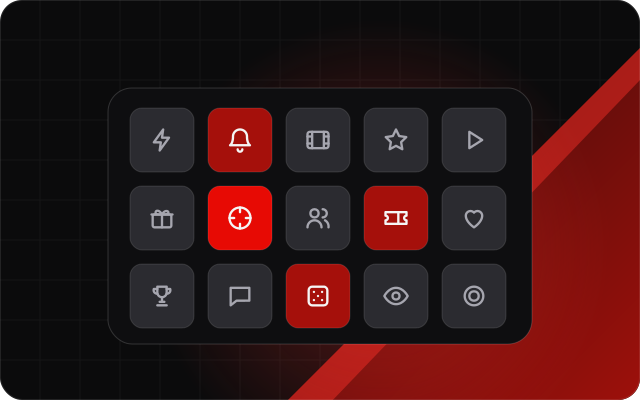 A Stream Deck in your browser and on your phoneStream Pad is a virtual Stream Deck: buttons that switch overlay scenes, award points, mark clips and run triggers, from your phone, your browser or a real Stream Deck.
- The StreamNeeds Stream Deck pluginPut your StreamNeeds Stream Pads, clips, points, hunts, overlays and OBS on your Stream Deck. How to install it, sign in, set up your keys and fix common problems.
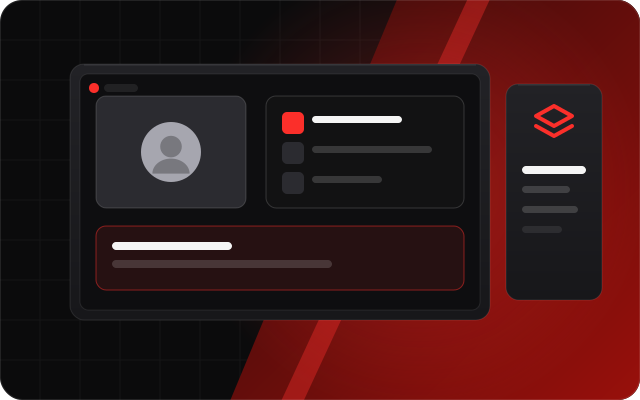 OBS overlays you build by dragging, not by editing CSSA visual overlay editor with 48 live widgets for any stream: chat, alerts, goals, timers and leaderboards, plus hunt tables and running totals for slot streams. Multi-scene, with OBS scene control.
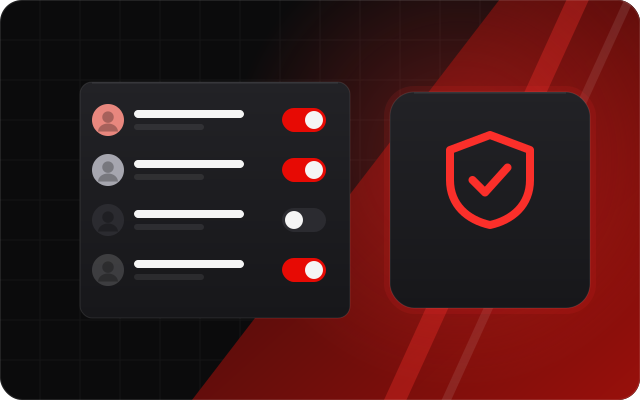 Let your mods run the stream with youGive each mod their own StreamNeeds login with only the permissions they need, plus Discord bans, cross-server bans and bans that follow a viewer's casino account.