
Free tool by StreamNeeds
Run your whole stream from one place
Overlays, one chat bot for Kick, Twitch and Discord, bonus hunts, giveaways and a viewer store. This tool is free. Your StreamNeeds account adds the rest.
Free account, then 7 days of Pro once your channel is connected. No card needed.
Free tool
GTA 6 text generator
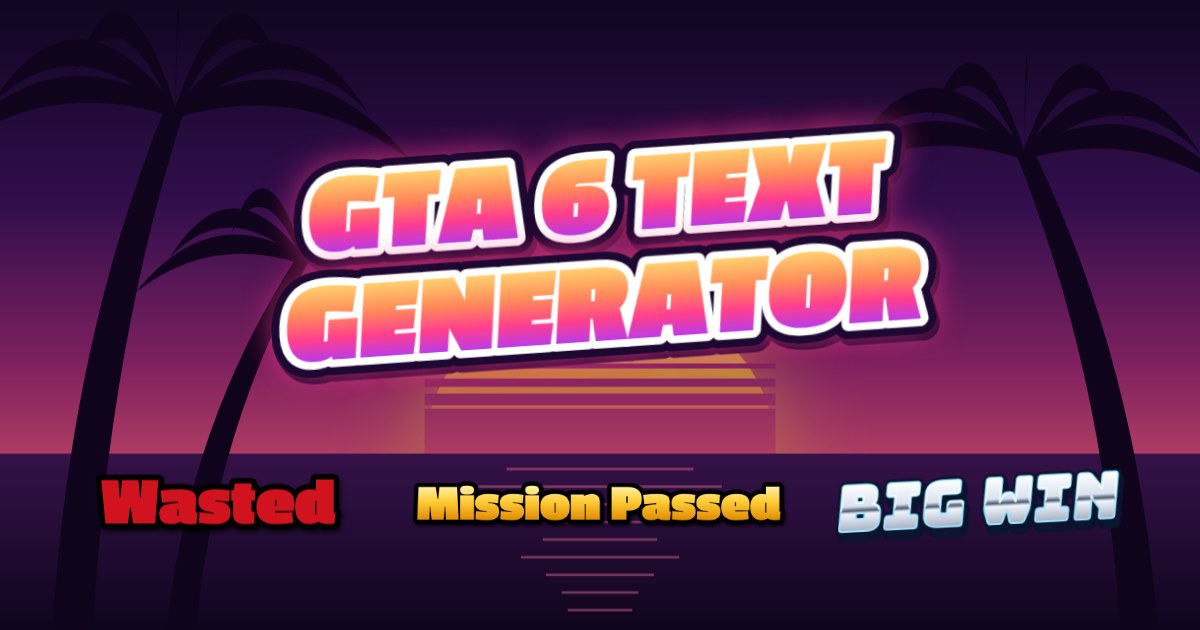
Type your words, pick a look and download. Get a see-through PNG for your thumbnails and overlays, or a ready-sized picture for YouTube, X, Instagram and TikTok.
Jump to the toolShort answer:Type up to three lines, pick one of eight GTA 6 style looks (Vice Sunset, Classic, Neon Script, Leonida Chrome, Wasted, Mission Passed, Ocean Drive or Most Wanted), add wanted stars or a small line underneath if you like, and press Download PNG. It's free, needs no sign-up and the transparent PNG has no watermark.
Streaming GTA 6? Match your whole stream
StreamNeeds has GTA 6 overlays, alerts and starting soon screens, plus chat games and a bot for Kick, Twitch and YouTube. Free to start.
Get new free tools first
One short email when we add a tool, plus tips that help small streamers grow. No spam, unsubscribe in one click.
Nothing is sent until you confirm with the link in your inbox. See our privacy policy.
What people make with it
Streamers use it for YouTube thumbnails, stream titles on their overlay, starting soon and be right back screens, clip titles and Discord announcements. Players use it for memes, roleplay character names and "Mission Passed" moments to post after a big night.
The Copy link button saves your exact text and style in the link, so a friend who opens it sees the same design and can make their own.
Sizes and backgrounds
Transparent PNG gives you only the text, cut tight, ready to drop onto any picture, video or OBS scene. The other sizes put it on a background at the exact size each site wants: 1280 × 720 for YouTube thumbnails, 1080 × 1080 for posts, 1080 × 1920 for stories, TikTok and Shorts, and 1500 × 500 for banners.
Pick a painted sunset, a night drive grid, Leonida art, plain dark, or upload your own screenshot and put the text on top. Your picture never leaves your device.
How to use it
- Type your text, or tap one of the quick picks.
- Pick a style, then add stars, a small line or a tilt under Extras.
- Choose a size and press Download PNG, Copy image or Copy link.
Related free tools
- Wanted poster maker: Make a five-star wanted poster with your name, photo and next stream. Seven painted styles and a free PNG download, no sign-up.
- Stream schedule maker: Make a weekly stream schedule in seven painted styles. Add your days, dates and times, swap in your own pictures and download a free PNG.
- YouTube thumbnail resizer: Any picture to a 1280 × 720 thumbnail under 2 MB, checked at small sizes.
Common questions
Is the GTA 6 text generator free?
- Yes. It's free with no sign-up. Transparent PNGs have no watermark; framed sizes carry a small streamneeds.com credit in the corner.
Is this the real GTA 6 font?
- No. GTA's own logo and fonts belong to Rockstar Games. Our looks are drawn in the same spirit with free-licensed fonts, so you can use what you make on your channel and socials.
Can I get a transparent background?
- Yes. Pick Transparent PNG under Size and you get just the text, cut tight to its edges, ready for thumbnails, videos and OBS.
Can I use it for YouTube thumbnails?
- Yes. Pick Thumbnail for a 1280 × 720 picture, upload your own screenshot as the background and move the text to the top, middle or bottom.
How do I share my design?
- Press Copy link. The link opens the generator with your text and style already in it. On a phone, Share sends the picture straight to your apps.
Made by StreamNeeds
Everything else your stream needs
This tool is one small part of StreamNeeds. A free account adds the tools you run live, on Kick, Twitch and YouTube.
Overlay editor
Design scenes and widgets for OBS in your browser and switch them while you're live.
One chat bot everywhere
Commands, points and a viewer store across Kick, Twitch and Discord.
Bonus hunt tracker
Track slot results live and share a page your viewers can follow.
Giveaways and raffles
Run giveaways in chat and on Discord, with draws anyone can check were fair.
Points and a viewer store
Viewers earn points for watching and chatting and spend them in your own store.
Stream Pad
One-tap buttons for your phone or Stream Deck that switch scenes and run your stream.
GTA 6 fan tools
- GTA 6 · Boarding pass makerMake a personalised GTA 6 boarding pass to Vice City. Choose four ticket designs, add your name and download a free PNG for a gift or launch-day post.
- GTA 6 contract generatorCreate a funny GTA 6 partner contract with your names and gaming dates. Generate a personalised agreement, print it or save it as PDF. Free online.
- GTA 6 sick note generatorMake a personalised GTA 6 parody sick note for launch day. Add your name, choose your days off, then print the joke note or save as PDF. Free online.
- Stream schedule makerMake a weekly stream schedule in seven painted styles. Add your days, dates and times, swap in your own pictures and download a free PNG.
- Wanted poster makerMake a five-star wanted poster with your name, photo and next stream. Seven painted styles and a free PNG download, no sign-up.
- Roleplay ID card makerMake a character ID card for GTA RP and roleplay streams, with your photo, role and crew, in seven painted styles. Free PNG.
More free tools
- Kick earnings calculatorWhat subs, gifted subs and KICKs pay you on Kick, and what the same month would pay on Twitch and YouTube.
- Twitch Bits to USD calculatorWhat Bits pay the streamer, what viewers pay for each pack, and how many Bits a goal takes.
- Streaming bitrate calculatorThe OBS bitrate, audio and keyframe settings for Twitch, Kick and YouTube at your upload speed.
- Stream title generatorReady-to-paste stream titles for any game or vibe, checked against Twitch, Kick and YouTube length limits.
- Bonus hunt break-even calculatorWork out the average multiplier your bonuses need to get your starting balance back, before and during the opening.
- Emote resizerDrop in one emote and get every size Twitch, Kick and Discord need, animated GIFs included.
- Sub badge resizerResize all your loyalty badges at once: Twitch 18, 36 and 72 px, Kick badges and Discord role icons.
- Kick panel makerMake a matching set of 320 px About panels for your Kick channel, in any size or style, and download them as PNGs.
- Kick banner and offline screen makerDesign a Kick banner, offline screen or starting soon screen with your name and socials, then download every size at once.
- Kick banner size and resizerEvery Kick channel image size, and one picture resized to all of them: banner, offline banner and profile picture.
- Twitch panel resizerAny picture to a 320 px Twitch About panel, shape kept, under the upload limit.
- Social bar makerYour handles and platform icons as a see-through bar to lay over videos, clips and your stream. Download a transparent PNG.